
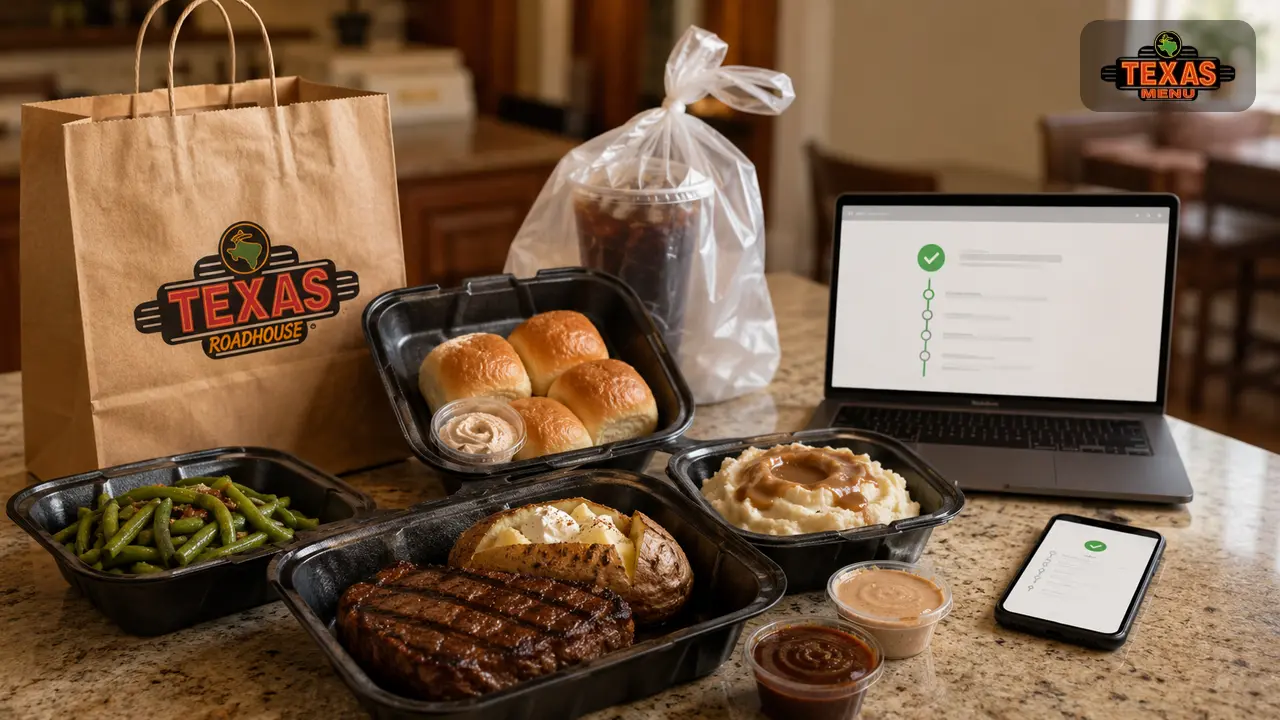
Ordering takeout from Texas Roadhouse means you can enjoy steaks, ribs and scratch‑made sides in the comfort of your home. Whether you’re grabbing a weeknight dinner or feeding a crowd, the chain’s online ordering system makes it easy to customise meals, schedule pickup and even get your order delivered to your car. This guide walks you through every step of the Texas Roadhouse To‑Go experience and shares insider tips for making the most of it.
What Is Texas Roadhouse To‑Go?
“To‑go” refers to the takeout and curbside pickup service offered by Texas Roadhouse. Instead of dining inside, you can order meals online or via the mobile app, choose a pickup time, and take the food home. The service is available at most locations and supports customizable orders, pre‑scheduled pickup times and contactless payment. Texas Roadhouse does not offer its own delivery service, but many locations partner with third‑party apps like Uber Eats or DoorDash to deliver orders. This guide focuses on ordering directly from Texas Roadhouse because ordering through third parties may affect prices and promotions.
A key advantage of ordering directly is that you can apply VIP Club rewards and special promotions. The official app and website support credit cards, gift cards and VIP coupon codes, and they let you save favourite orders for future reordering. Both platforms also allow you to join the restaurant’s waitlist if you change your mind and decide to dine in.
Step‑by‑Step: How to Order Texas Roadhouse To‑Go Online
Ordering through the official website is simple, but it helps to know what to expect at each step. Here is a detailed walkthrough:
1. Find Your Location
Visit the Texas Roadhouse website and click “Order To‑Go” or “Start Order.” The site asks for your city, state or ZIP code so it can list nearby restaurants. Enter your area and choose the location you want to pick up from. Each restaurant has its own to‑go hours and may offer curbside pickup or drive‑thru service.
2. Choose Your Pickup Method
After selecting a location, you’ll see available pickup methods such as Curbside, Carry‑Out or Drive‑Thru (if offered). Curbside pickup means you remain in your vehicle and a team member brings the order to you. Carry‑out means you go inside to pick up your bag at the host stand. Drive‑thru, available at some locations, allows you to collect your food without leaving your car. Pick the method that best suits your needs.
3. Browse the Menu by Category
Next, browse the full menu. Categories typically include Starters, Hand‑Cut Steaks, Fall‑Off‑The‑Bone Ribs, Texas Size Combos, Chicken, Country Dinners, Burgers & Sandwiches, Salads, Kids Meals, Sides & Extras and Family Packs. Each entrée comes with two sides; you can choose from baked potatoes, steak fries, seasoned rice, fresh vegetables, salads and more. When customizing steaks, you’ll be asked to select a temperature (rare to well‑done) and decide whether to add toppings like sautéed onions or mushrooms.
4. Add Items to Your Cart and Customise
When you find an item you want, click “Add to Order.” A dialog allows you to customise: select portion size (6 oz or 8 oz steak), choose two sides, add sauces or toppings, and note any special instructions. For example, if you order a hand‑cut sirloin, you can add sautéed mushrooms and onions to keep the steak juicy during transport. Items like family packs let you pick multiple proteins and sides to feed four or more people, making them cost‑effective; sources note that family packs are only offered at select locations and are available for takeout only.
Many customers order rolls separately. To add the restaurant’s famous rolls and cinnamon butter, scroll to “Sides & Extras.” At the bottom of this section you’ll find options for Extra Fresh‑Baked Bread and Extra Honey Cinnamon Butter; add a half dozen or dozen rolls (a dozen is cheaper per roll). Rolls include cinnamon butter, and extra butter is available for a small charge.
5. Schedule Your Pickup Time
Once you’ve added everything, go to your cart to review your order. You can remove items, change quantities or modify side choices. The site will ask when you want to pick up your food. You can usually choose ASAP (often within 15–30 minutes depending on kitchen load) or select a later time within the restaurant’s to‑go hours. Scheduling ahead is helpful on busy nights; for example, placing your order mid‑afternoon for a 6 pm pickup ensures you skip the dinner rush.
6. Provide Contact & Vehicle Details
Before payment, you’ll be prompted for your name, phone number and email. For curbside pickup, there’s an option to include your vehicle’s make, model and color. This helps staff identify your car when you arrive. You may also see a field to provide special instructions, such as “Please call when my order is ready.”
7. Pay Securely and Confirm
Texas Roadhouse accepts major credit cards and the company’s gift cards for online orders. Enter your payment details or redeem gift card balances. If you’re a VIP Club member, apply any digital coupons or birthday rewards at this stage. When everything looks correct, submit the order. You’ll receive an email confirmation with the pickup time, total cost and instructions for curbside pickup. Some restaurants send a text message as well.
Ordering Through the Texas Roadhouse App
The Texas Roadhouse mobile app (available on iOS and Android) offers an even smoother way to order takeout. The app provides the same functionality as the website plus additional convenience features. Here’s how to use it.
1. Install and Create an Account
Download the official Texas Roadhouse app from your device’s app store. After installing, open the app and either sign in with an existing account or create a new one. Creating an account allows you to save your favourite location, securely store payment methods, track orders and earn VIP Club rewards.
2. Select Your Restaurant & Order Type
From the home screen, tap “Order To‑Go” or “Start Order.” The app uses your location (or lets you search by ZIP code) to find nearby restaurants. Choose the restaurant you want, then select your preferred pickup method (curbside, carry‑out or drive‑thru). Many users appreciate the curbside option, which allows you to park in designated to‑go spots and receive a text when your order is ready.
3. Browse and Customise Menu Items
Browsing the Texas Roadhouse menu is similar to the website. Tap a category, choose an item, and customise it. The app often displays photos and descriptions of each dish, making it easier to decide. You can add notes for allergies, request extra sauces, specify steak doneness and choose side dishes. If you’re ordering family packs, the app will prompt you to select proteins, sides and salad toppings. Some locations limit steak temperature customisations for large packs.
4. Schedule Pickup and Provide Details
After adding items, go to your cart to schedule pickup. Choose your desired time; the app displays available time slots. Provide your name, contact number, email and, if using curbside, your car’s description. Many users report that the app sends a text message when the order is nearly ready so you know when to head to the restaurant.
5. Apply Discounts and Pay
Before checking out, review your order for accuracy. Apply any VIP Club offers or reward points if you have them. The app accepts credit cards and Texas Roadhouse gift cards. After payment, you’ll receive a confirmation screen along with an email receipt. The app keeps a record of your orders, which makes reordering your favorite meal quick and easy.
6. Pick Up Your Order
When your scheduled time arrives, drive to the restaurant and park in a designated to‑go space. Use the app’s “I’m Here” button or follow the instructions from your confirmation email to notify staff of your arrival. A team member will bring your food to your car and may ask to confirm your name before handing it over. Tip your server directly or add a tip in the app. Review your order on the spot to ensure everything is correct.
Other App Features
Besides ordering takeout, the app lets you:
- Join the Waitlist: Add your name to the restaurant’s waitlist remotely, check wait times and receive a text when your table is ready.
- Manage VIP Rewards: Sign up for the VIP Club, track points and redeem offers such as free appetizers or birthday treats.
- Save Favourites: Store frequently ordered meals and locations for faster checkout.
- View Nutrition & Specials: Check nutritional information and see early dine specials, which may not be available to walk‑in customers.
- Order Gift Cards: Purchase digital or physical gift cards and send them to friends or family.
Ordering by Phone
While digital ordering offers the most features, calling the restaurant is still an option for takeout, especially if you want clarification or have a complicated order. Here’s what to do:
- Find the phone number: Use the restaurant locator on the website or app to look up your local Texas Roadhouse’s phone number.
- Call during business hours: Provide your name, phone number and desired pickup time. Confirm that the location is offering takeout, as some may temporarily limit to‑go orders during busy periods.
- Place your order: Specify the menu items you want, how you’d like your steak cooked, and which sides and salads you prefer. If ordering a family pack, list your protein choices and side combinations.
- Add extras: Ask about ordering rolls, extra butter, or additional sides. You can also inquire about limited‑time specials and holiday meals.
- Confirm price and payment: The staff will provide the total and either take payment over the phone or ask you to pay at pickup. Some locations accept phone payment using credit cards or gift cards, while others require in‑person payment.
- Pickup instructions: Ask how to notify them when you arrive. Some locations ask you to call again from the parking lot so they can bring out your food.
Phone ordering lacks the visual menu and built‑in customization of the digital platforms, but it can be more flexible if you need to ask questions, request a special arrangement or verify inventory.
Curbside Pickup: What to Expect
Curbside pickup is the most convenient way to collect your food without leaving your vehicle. After placing your order online or through the app, you’ll receive an email or text message with instructions. Here’s a typical process:
- Park in a designated spot: When you arrive, look for signs that say “To‑Go Parking.” These spots are near the entrance and have numbers or letters.
- Notify the restaurant: Use the app’s “I’m Here” button, reply to the text message or call the number on the sign. Provide your name and parking spot.
- Stay in your vehicle: A staff member will bring your food to your car. They’ll verify your name and may ask to see your order confirmation.
- Check your order and tip: Before driving away, quickly review that you have the correct items, sides, sauces, rolls and utensils. Tip the server—either in cash or via the app—to acknowledge their service.
- Drive home and enjoy: Food is packaged in sturdy containers to keep it warm. When you get home, remove the lids to release steam and prevent sogginess.
Customising Your Takeout Order
One of the benefits of Texas Roadhouse takeout is the ability to customise your order. Keep these tips in mind:
- Choose your sides wisely: Each entrée comes with two sides. The selections include baked potato, sweet potato, steak fries, mashed potatoes, seasoned rice, fresh vegetables, Caesar salad, house salad, applesauce and chili. If you are concerned about calories or dietary needs, opt for fresh vegetables or house salad without dressing.
- Select steak temperature carefully: For takeout, medium‑rare steaks can continue cooking in the container. Consider ordering one level below your usual preference (e.g., medium‑rare instead of medium) so the steak doesn’t overcook during travel.
- Add toppings for moisture: Toppings like sautéed mushrooms, onions or smothered sauces add extra moisture, which helps keep meat dishes tender until you eat them. Sautéed mushrooms and onions were recommended by one reviewer as a perfect addition to keep takeout steak juicy.
- Order family packs for groups: Family packs bundle proteins, sides and a salad for up to four people. They’re more cost‑effective than ordering individual entrées and come with enough rolls and butter. However, they’re not available at every location.
- Don’t forget dessert: Texas Roadhouse offers treats like Strawberry Cheesecake, Big Ol’ Brownie and Granny’s Apple Classic. Desserts travel well; cut them into smaller slices at home.
- Add extra rolls: Rolls are a highlight of the meal. A half dozen costs only a few dollars and includes cinnamon butter.
Money‑Saving Tips for To‑Go Orders
- Join the VIP Club: Signing up for the VIP Club yields a welcome coupon for a free appetizer with purchase and sends periodic discounts. You’ll also receive a free birthday offer and can redeem points online.
- Order early dine specials to go: Many locations offer discounted entrées from Monday through Thursday before a certain time (often 6 pm). You can apply early dine prices to takeout orders if you schedule pickup during the promotional window.
- Watch for family pack deals: Family packs can save 20–30% compared to ordering individual meals. These packs often include ribs, chicken, pork chops or sirloin steaks.
- Use gift cards: Purchase discounted gift cards from warehouse clubs or during holiday promotions. Applying them to your order reduces your out‑of‑pocket cost.
- Check for app‑only promotions: Occasionally the mobile app offers limited‑time deals, such as a free side or dessert with a to‑go order. Enable push notifications to receive these offers.
- Combine side orders: If you crave extra rolls or cinnamon butter, add them when you order. The cost is lower than buying separate extras at the restaurant. A dozen rolls is cheaper per roll than a half dozen.
Frequently Asked Questions (FAQs)
You can join via the website or app. Select a location, specify your party size and enter your contact details. You’ll receive an estimated wait time and a text when your table is ready.
The company doesn’t operate its own delivery service. Many locations partner with third‑party providers; however, you won’t be able to use VIP rewards or early dine discounts through those platforms.
Yes. When ordering online or through the app, scroll to the “Sides & Extras” section and select Extra Fresh‑Baked Bread and Extra Honey Cinnamon Butter. Half dozen and dozen portions are available, and extra butter can be added.
No. Curbside pickup is complimentary. You pay the same menu prices as dine‑in customers plus tax. Tips for the to‑go staff are optional but appreciated.
You can add a tip during checkout on the website or app, or you can tip in cash when staff deliver your food to your vehicle. A 10–15% tip is typical for curbside service.
Yes. Both the website and app allow you to choose steak doneness and select sides. Note that some family packs do not allow custom steak temperatures.
Fried foods like chicken critters and blooming onions may lose their crispness during travel. Steaks, ribs and chicken dishes hold up better. Consider reheating fries or onion rings in an oven or air fryer to revive their texture.
You can still order takeout and pick it up inside. Look for instructions on your order confirmation or call ahead to verify procedures.
Conclusion
Ordering takeout from Texas Roadhouse is a convenient way to enjoy legendary steaks, ribs and sides without dining in. By using the official website or mobile app, you can choose a restaurant, customise entrées, apply discounts, schedule pickup and pay securely. Curbside pickup allows you to stay in your car while staff bring your food out. Whether you’re feeding a family with a cost‑saving family pack or grabbing a quick sirloin and salad for one, the to‑go system is straightforward. Remember to join the VIP Club for special offers, take advantage of early dine pricing and don’t forget to add extra rolls. With this step‑by‑step guide, you’ll breeze through the ordering process and enjoy Texas Roadhouse favorites wherever you are.
Check Also: Texas Roadhouse App — How to Order & Use It (2026 Guide)